Cloudflare Update
Keeping your accounts and personal information protected is one of our highest priorities.

Keeping your accounts and personal information protected is one of our highest priorities. That’s why WyHy is adding another layer of cybersecurity protection to Online and Mobile Banking with Cloudflare.
Cloudflare is a cybersecurity technology used by millions of websites and online services around the world to help keep their systems secure, reliable, and protected from malicious online activity.
For WyHy, Cloudflare provides an additional layer of protection between the internet and our Online and Mobile Banking platforms. It helps identify suspicious activity and automated bots before they can reach our digital banking systems.
Most of the time, you probably won’t notice Cloudflare at all. It works behind the scenes while you use Online and Mobile Banking as usual.
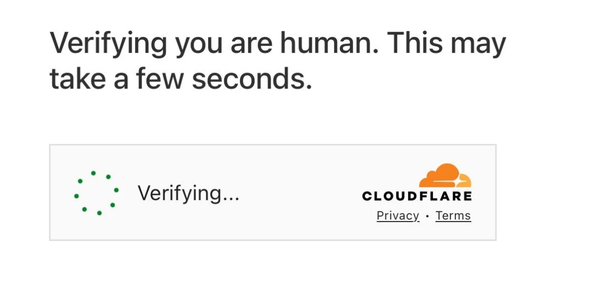
Occasionally, however, you may see an additional security screen or verification step when accessing your account.
This quick check helps determine whether a login attempt is coming from a real person or an automated bot.
If you see a Cloudflare security screen, don’t be alarmed. It is a legitimate part of WyHy’s added security and does not mean there is a problem with your account.
Simply follow the instructions on the screen to continue to Online or Mobile Banking.
Cybercriminals can use automated programs, or “bots,” to make large numbers of login attempts and carry out other malicious activity online.
Cloudflare helps detect and block this type of suspicious traffic while allowing legitimate members to continue accessing WyHy’s digital banking services.
It’s another way we’re strengthening the technology behind your WyHy accounts and helping keep your information protected.
No. There is nothing you need to install, download, enroll in, or activate.
Continue using WyHy Online and Mobile Banking as you normally would. If Cloudflare needs to verify your connection, simply follow the instructions displayed on your screen.
And remember: WyHy will never ask you to provide your Online Banking password or security code by email, text, or phone.
We’re WyHy. We’re Wyoming. We’re With You.
Beginning September 30, 2026, WyHy will use Cloudflare to provide an additional layer of security for Online and Mobile Banking.
For most login attempts, Cloudflare will verify your connection automatically in the background, and you won’t notice anything different.
Occasionally, you may be asked to complete a quick security check, such as checking a box to confirm you are a real person. Once verified, you can continue to Online or Mobile Banking as usual.
In a small number of cases, Cloudflare may be unable to verify your login attempt and display an error message or error code.
Don’t worry, this does not necessarily mean there is a problem with your WyHy account. It means Cloudflare was unable to successfully verify your connection or device.
If you receive an error, try the following:
Yes. If you see a Cloudflare security check while accessing WyHy Online or Mobile Banking through WyHy's official website or mobile app, it is part of our added security protection.
Cloudflare helps identify legitimate users while blocking bots and other potentially harmful automated activity.
No. You do not need to download software, install an extension, enroll in a new service, or provide additional account information to use Cloudflare.
If a security check appears, simply follow the instructions displayed on your screen.
If you've tried the troubleshooting steps above and still cannot access your account, please contact WyHy Member Service for assistance.
For your security, NEVER provide your Online Banking password or verification code to anyone who contacts you unexpectedly.
How to clear cache/cookies on your browser:
How to get the latest version of your browser:
How to disable browser extensions:
How to completely close apps on mobile: